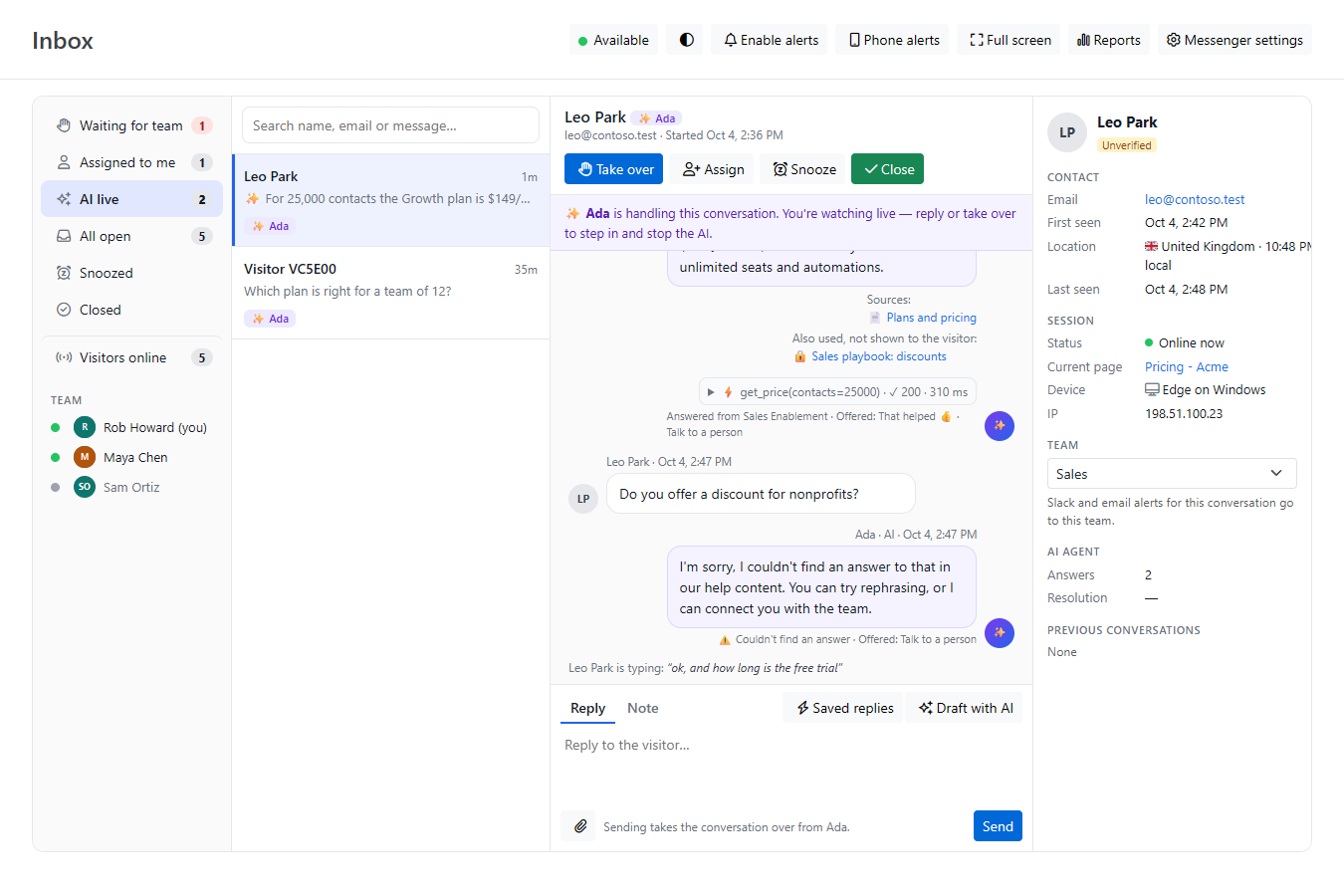
The AI agent answers visitors first, but a person always wins. Any teammate can watch the AI live and step in at any moment, even mid-sentence.
Open any conversation in the AI live view. You'll see:
The typing preview appears above the reply box, for example "Jane is typing: “my invoice shows…”", and updates every second or two. If the visitor stops without sending, it changes to "Jane has an unsent message" and stays until they send or clear it. It shows up to 280 characters.
| Label | What it means |
|---|---|
| ⚠️ Couldn't find an answer | Your articles don't cover the question. After two in a row (or one, if your settings say so), the AI hands the conversation to your team on its own. |
| Asked a clarifying question | The question was ambiguous |
| Answered from … | The knowledge source the AI answered from |
| Offered the follow-up form | The visitor was offered a name-and-email form so your team can follow up: when the AI handed over without knowing their email, when nobody replied 5 minutes after a handoff, or under an answer to a buying question. Older conversations may show Asked for an email instead. |
| Rule: … | One of your question rules handled this message |
| ⚡ action name(…) · ✓ 200 · 310 ms | The AI called one of your actions. Click it to see what came back. Visitors never see this. |
| 🔒 Also used, not shown to the visitor | Articles from an internal knowledge source the AI used without linking to them |
| Checked in after the visitor went quiet | The AI's short follow-up after an answer went unanswered |
You don't have to do anything while the AI is doing well.
Click Take over (or Take it for a conversation waiting for your team), or just type a reply and press Enter. Replying takes the conversation over automatically. Either way:
Writing an internal Note doesn't take the conversation over. Replies and notes can include screenshots and files: click 📎, paste, or drop them on the reply box. See Sending Files and Images in Chat.
When the AI hands a conversation to your team, it appears in Waiting for team and your team is alerted. The thread includes an AI summary note: two or three bullet points on what the visitor wants, what they've been told, and what's still unresolved. Only your team sees it. Click Take it to own the conversation.
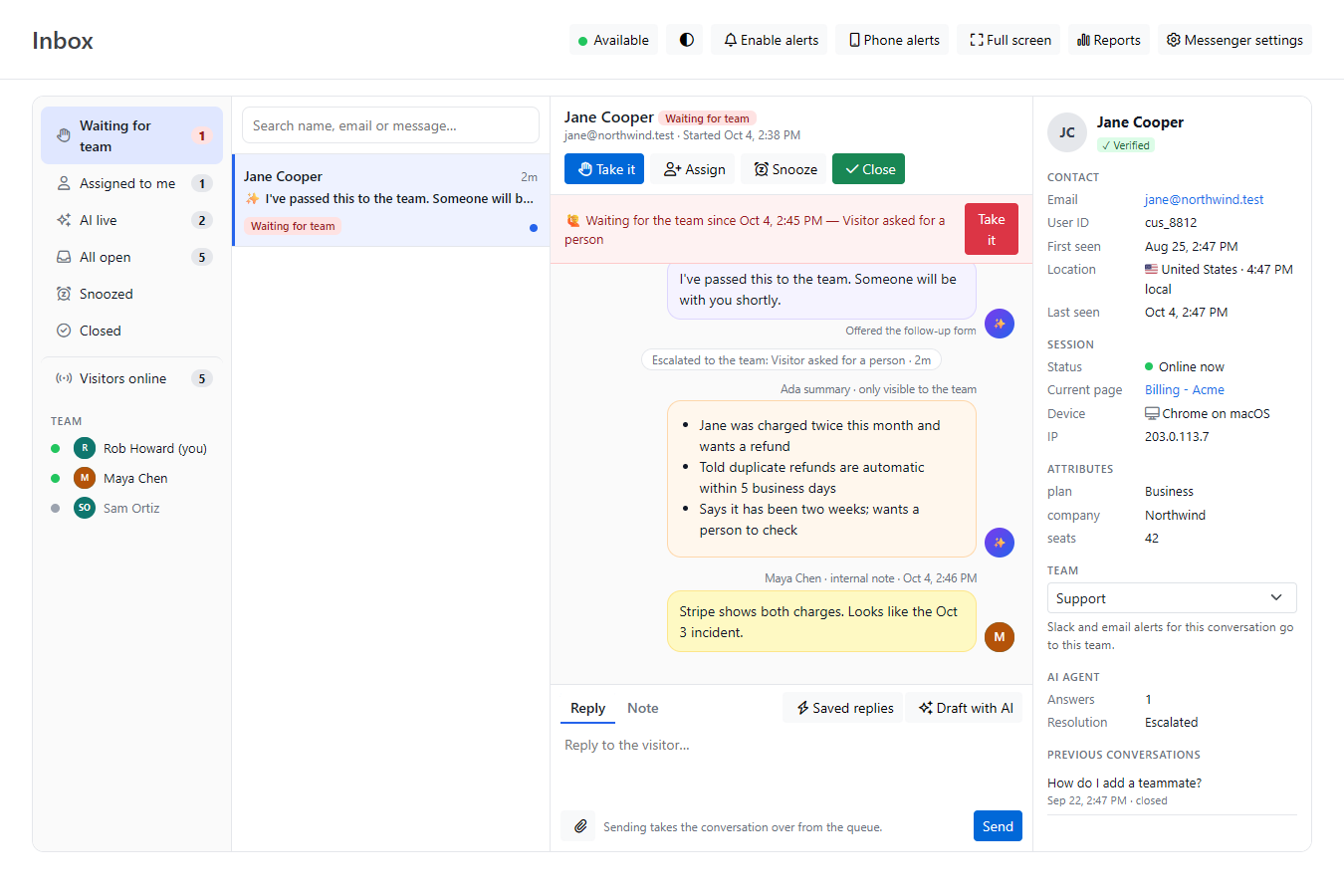
Once you've sorted out the unusual part, click Hand back to AI. The AI answers the visitor's next message and can hand off again if needed.
When a visitor waiting for your team asks a question, the AI offers to try answering it in the meantime. If the visitor accepts, the AI keeps answering while the conversation stays in Waiting for team, and the banner reads "the visitor asked the AI to keep answering". Taking over ends this, and the AI stops.
See also Using the Chat Inbox and Configuring the Chat AI Agent.