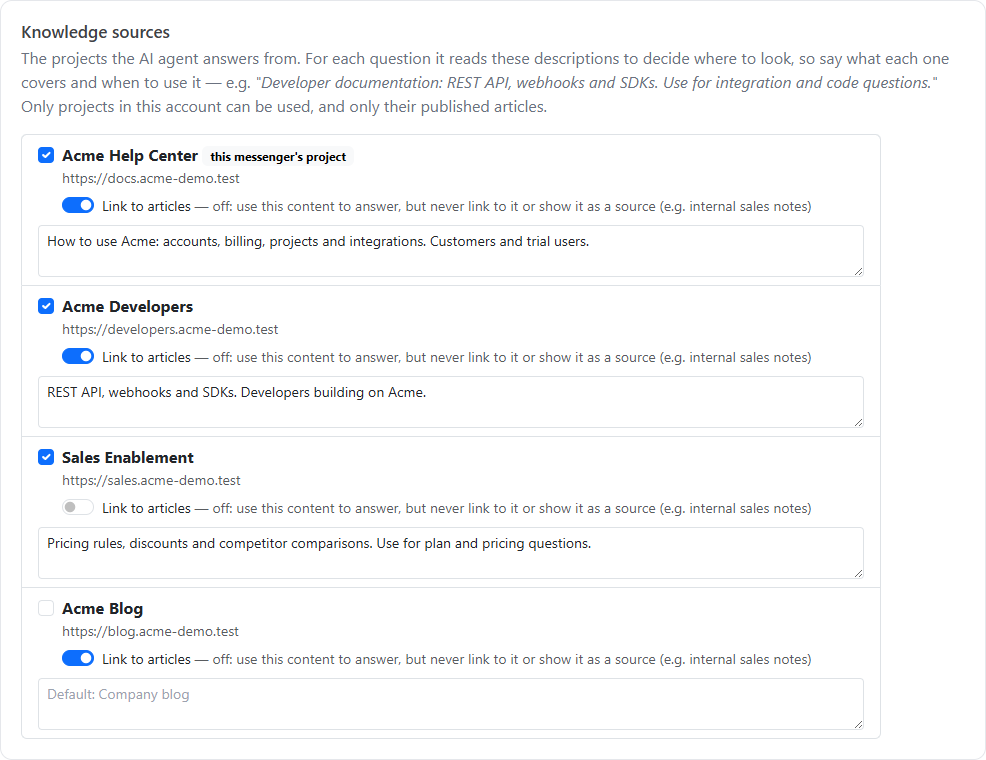
Knowledge sources are the HelpGuides projects your chat's AI agent answers from. Many companies split their content, for example product docs, developer docs and sales material. The AI can use any of your projects and pick the right one for each question.
Go to Inbox, then Messenger settings, then the AI agent tab, and scroll to Knowledge sources. Every project in your account is listed.
If you tick nothing, the AI answers from the messenger's own project. If you leave a description blank, the project's own description is used.
Be concrete about topics and who asks them:
| Project | Description |
|---|---|
| Product documentation | How to use the app: campaigns, email, SMS, contacts and reports. Use for how-to and troubleshooting questions from customers. |
| Developer documentation | REST API, webhooks, JavaScript SDK and integrations. Use for code, API and integration questions. |
| Sales | Plans, pricing, feature comparisons and trials. Use for buying and "can it do X" questions. |
For each question, the AI chooses the one to three most relevant sources. The first is the primary source: the one whose topic the question is about, so a pricing question goes to your sales material first.
In the inbox, each AI answer shows Answered from … underneath with the source it used. The Test tab shows the sources searched and the one that answered.
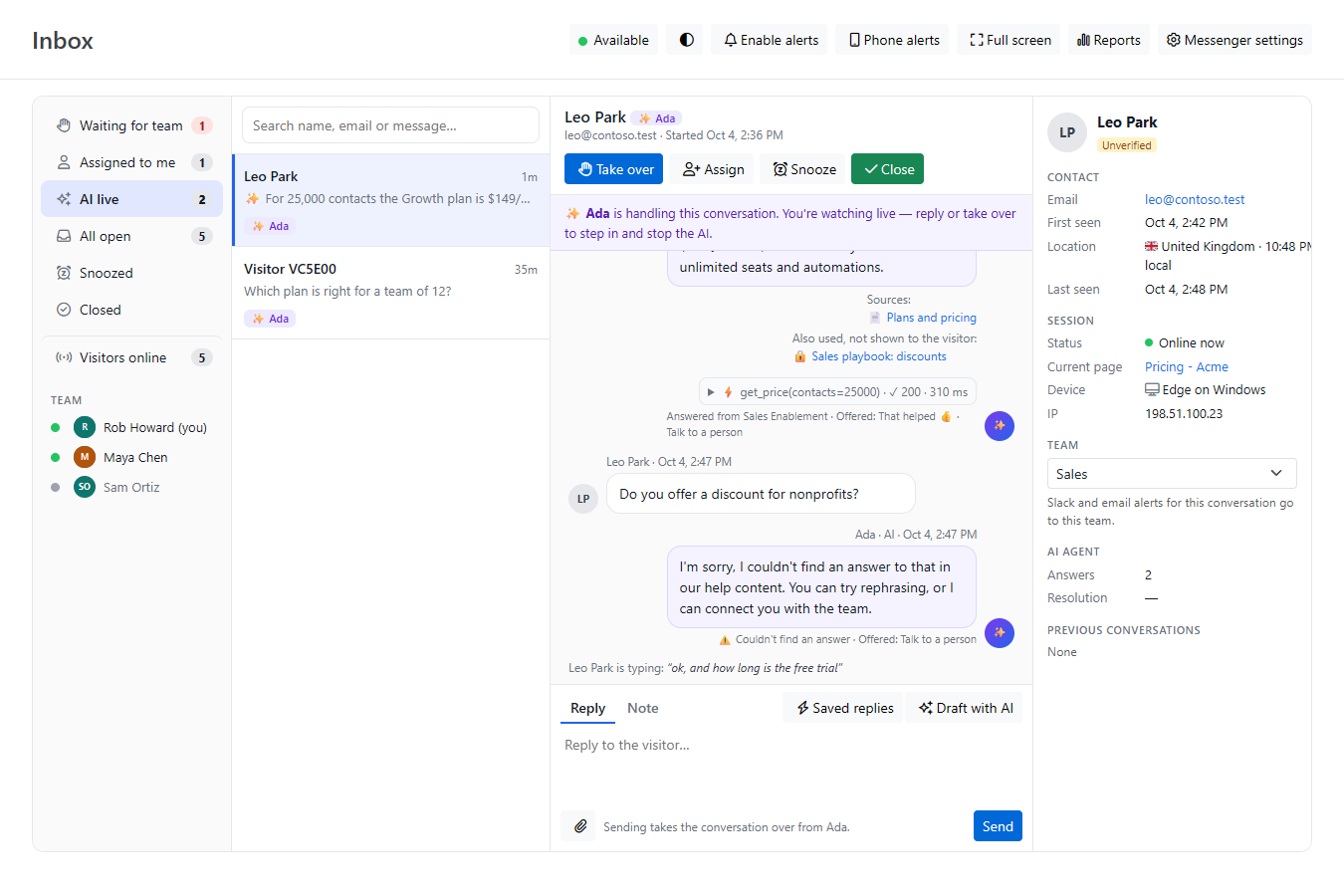
Some content should inform answers without ever being shown to visitors, such as a sales playbook or private notes. For those sources, switch off Link to articles:
When Show help articles in the messenger is on (General tab, Appearance), visitors get a Help tab where they can browse and search your help center without leaving the chat. The Help tab shows one project, chosen under Help articles from on the same tab. By default it's the messenger's own project. Its categories, articles and search come only from that project, while the AI still answers from all your knowledge sources. A project set as an internal source (Link to articles off) is never shown. See What Visitors See in the Chat Messenger.
The Chat Reports page lists every question the AI couldn't answer. Writing an article for each one is the fastest way to raise your AI resolution rate. The Dashboard shows how your articles are performing.
See also Configuring the Chat AI Agent.